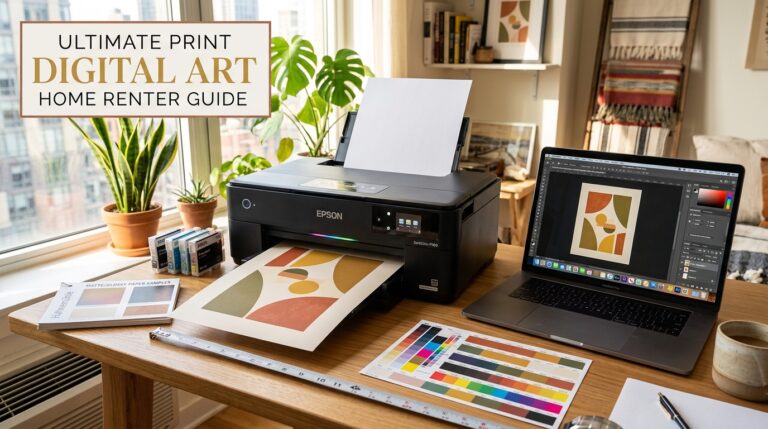
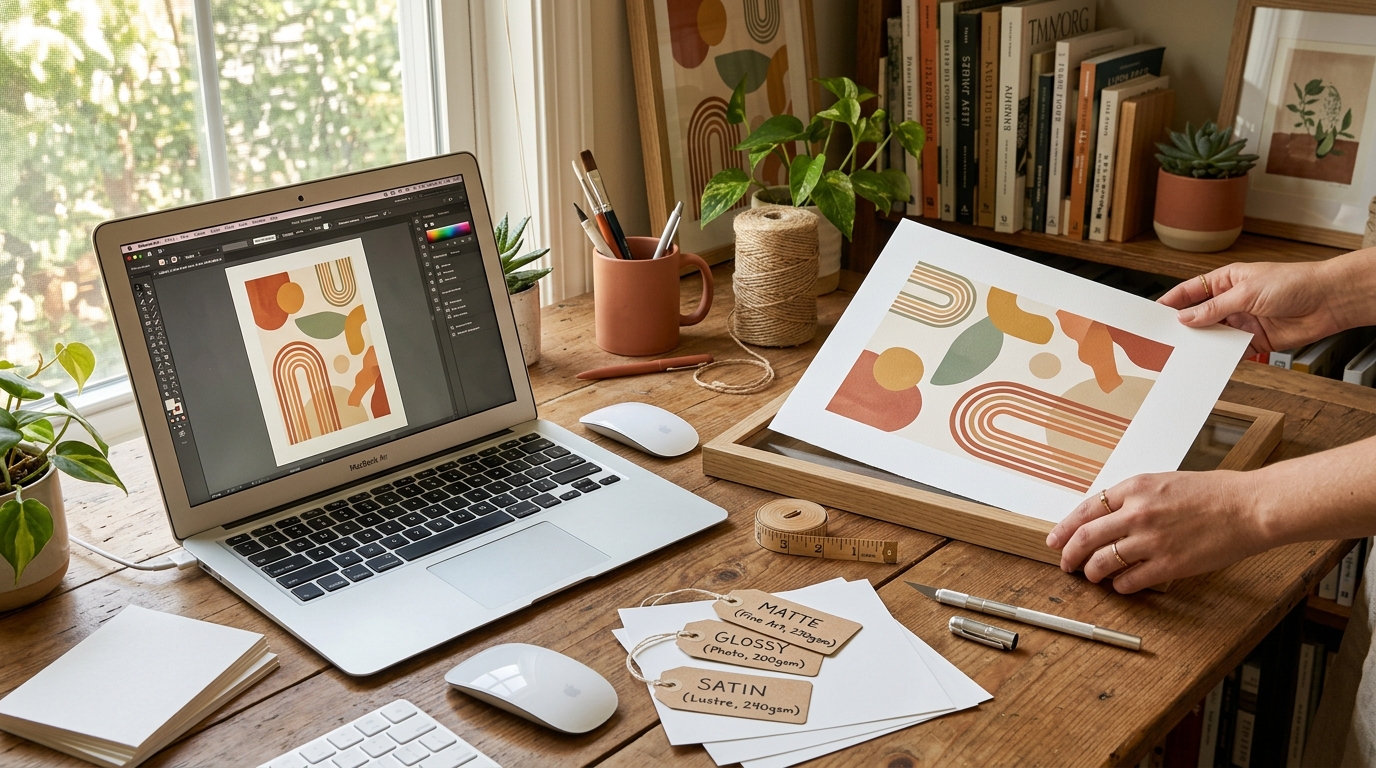
This digital wall art guide covers everything you need to buy, print and frame downloadable art at home in 2026 – without wasting paper, money or wall space.
You found the perfect print. It is exactly the right color, the right style, and the right mood for the wall you have been staring at for months. You click purchase, download the file, and then stop.
Now what?
This is where most people go wrong with digital wall art. The download is the easy part. Getting a print that looks as good on your wall as it did on your screen requires knowing which paper to use, which size to print, which printer settings to choose, and whether to print at home or send it to a lab.
Get it right and your $3 to $15 digital download looks like a $150 gallery piece. Get it wrong and you waste paper, ink, and money on a print that looks nothing like what you expected.
This guide covers everything: from choosing the right file format and print size, to paper selection, printer settings, framing decisions, and understanding your licensing rights. By the end you will have a repeatable process for turning any digital art download into a wall-ready print.
What Is Digital Wall Art and Why It Makes Sense in 2026
Digital wall art is a print-ready image file (typically JPEG or PDF) that you purchase and download instantly, then print yourself at home or through a print lab. No shipping, no waiting, no minimum order.
For renters, first-time homeowners, and anyone decorating on a budget, digital art has three major advantages over buying physical prints:
- Cost: A high-quality digital print costs $3 to $15. The same design as a physical framed print costs $50 to $200+.
- Flexibility: You choose the size. The same file can print as a 5×7 for a small shelf or a 24×36 for a large wall.
- Speed: Instant download means you can have art on your wall the same day you decide you want it.
In 2026, the fastest growing digital art categories on Pinterest and Etsy are celestial prints, Afrohemian boho abstracts, Neo Deco geometric patterns, and Scandi minimalist botanicals. All of these are available as instant downloads in StyleMyHaven’s shop.
How to Use This Digital Wall Art Guide
Step 1: Understand Digital Art File Formats and Resolution
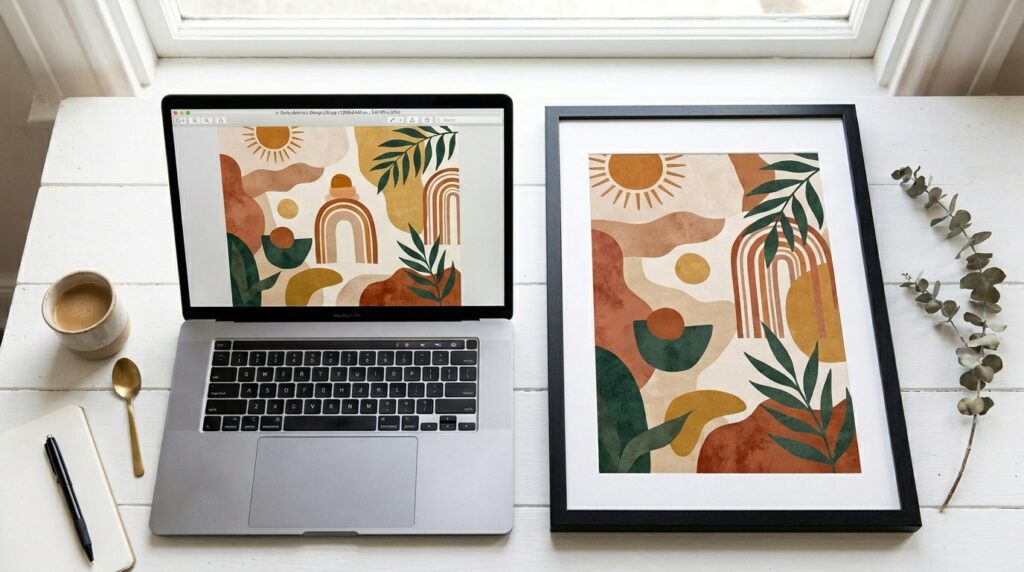
Before printing anything, check your file meets these minimum standards:
Resolution: The Most Important Factor
| Resolution | What It Means | Suitable For |
|---|---|---|
| 72 DPI | Screen resolution only | Do not print – will look pixelated |
| 150 DPI | Low print resolution | Small prints only up to 5×7 |
| 300 DPI | Standard print resolution | All standard print sizes up to 16×20 |
| 300+ DPI | High print resolution | Large format prints 20×30 and above |
Always check the resolution before purchasing a digital download. Quality sellers (including StyleMyHaven) list the file resolution and maximum recommended print size in the product description. If it is not listed, ask before buying.
File Formats
- JPEG: Most common format for digital art prints. High quality at 300 DPI. Ready to print directly.
- PDF: Often higher quality than JPEG, especially for prints with text or fine line art. Print directly from Adobe Reader or Preview.
- PNG: Good for art with transparent backgrounds. Convert to JPEG or PDF before sending to a print lab.
Step 2: Choose the Right Print Size
The most common mistake with digital art is printing the wrong size. Use these guidelines before hitting print:
Standard Print Sizes and Where They Work
| Print Size | Best Used For | Frame Size Needed |
|---|---|---|
| 4×6 inches | Desk frames, small shelf displays | 4×6 frame |
| 5×7 inches | Bedside table, small gallery groupings | 5×7 frame |
| 8×10 inches | Most versatile size – works almost anywhere | 8×10 frame or 11×14 with mat |
| 11×14 inches | Above a desk, in a bathroom, small bedroom wall | 11×14 frame or 16×20 with mat |
| 16×20 inches | Above a sofa or bed as a single statement piece | 16×20 frame or 20×24 with mat |
| 18×24 inches | Large wall feature, gallery anchor piece | 18×24 or 20×24 frame |
| 24×36 inches | Large feature wall, entryway, living room | 24×36 frame |
For the complete sizing reference including room-by-room recommendations, see the Print Size Guide.
Not sure what size will look right on your specific wall? Use the Free Wall Art Size Visualizer to test different sizes on a photo of your actual space before printing.
Step 3: Choose the Right Paper
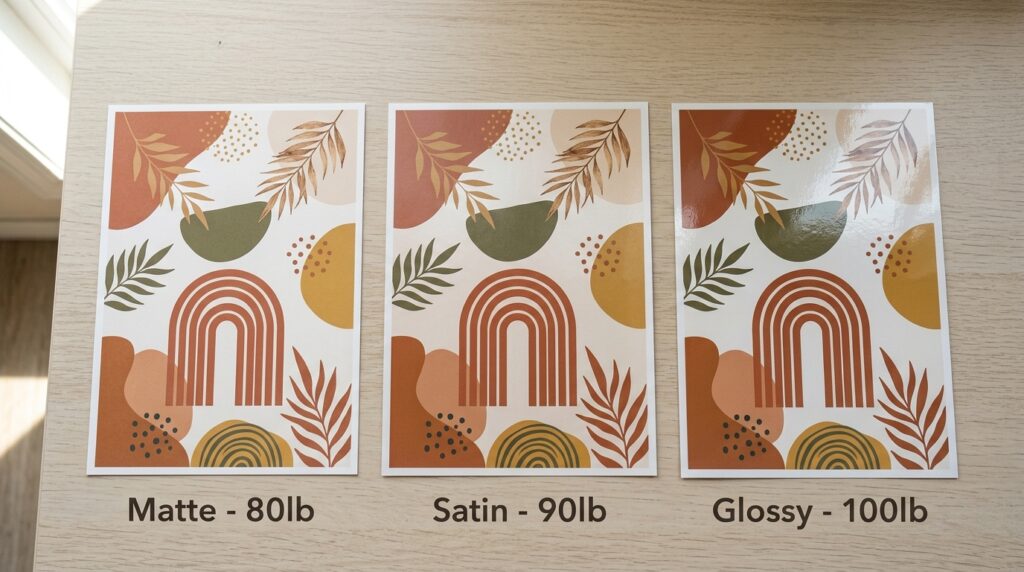
Paper choice has more impact on your final print quality than almost any other factor. Here is a practical breakdown:
Paper Types Compared
| Paper Type | Finish | Best For | Avoid For |
|---|---|---|---|
| Matte (80 to 100lb) | No shine, soft look | Most art prints, boho and minimalist styles, any room with bright windows | Very dark or high-contrast images where color richness matters |
| Satin (90 to 100lb) | Slight sheen, vibrant colors | Photography, Neo Deco geometric prints, color-rich abstracts | Rooms with harsh direct light causing glare |
| Glossy (100lb+) | High shine, vivid colors | Photography and high-contrast art | Gallery walls with multiple frames – reflections clash |
| Fine Art (200g+) | Textured, premium feel | Statement pieces, gift prints, high-end gallery look | Budget printing – expensive per sheet |
| Canvas (inkjet) | Textured, wrap-ready | Large feature prints without frames | Small sizes where texture looks disproportionate |
The safest choice for most home printers: Matte photo paper at 80 to 90lb weight. It produces accurate colors, has no glare issues, and works in almost any home printer without paper feed problems.
For a detailed reference on paper weights and finishes, see this paper weight guide for home printing.
For the complete StyleMyHaven guide to paper selection including recommendations by art style, see the Wall Art Printing Paper Guide available in the shop for $3.
Step 4: Printer Settings for Sharp, Color-Accurate Prints
Your printer settings can make or break a print even with the right file and paper. Use these settings for the best results:
Settings Checklist Before Printing
| Setting | Recommended Value | Why |
|---|---|---|
| Paper type | Match to your actual paper (matte photo, glossy photo, etc.) | Tells the printer how much ink to apply |
| Print quality | Best or High (not Normal or Draft) | Normal quality uses less ink and looks noticeably softer |
| Color profile | sRGB | Most digital art files are saved in sRGB. Using the wrong profile shifts colors noticeably |
| Borderless printing | On (if available) | Removes the white border around the print for a cleaner look |
| Size | Actual size or custom dimensions (do not use “fit to page”) | Fit to page scales the image and changes your intended proportions |
Test print first: Before printing your final size on good paper, do a test print at a smaller size (4×6) on standard copy paper. Check colors and sharpness before committing expensive paper.
Step 5: Home Printing vs. Print Lab – Which Is Right for You
Not every print needs to come from your home printer. Here is how to decide:
| Factor | Print at Home | Use a Print Lab |
|---|---|---|
| Cost per print | Low ($0.10 to $0.50 for standard sizes) | Medium to high ($3 to $25 depending on size and paper) |
| Quality ceiling | Good for sizes up to 11×14 on quality paper | Excellent for any size, archival quality options available |
| Speed | Instant | 1 to 5 days (or same day at local labs) |
| Large format (16×20+) | Most home printers cannot handle this | Print lab is the only practical option |
| Fine art paper options | Limited by home printer compatibility | Wide range including canvas and fine art papers |
| Best for | Gallery fill prints, trying sizes, budget galleries | Statement anchor pieces, gifts, large format feature prints |
Recommended US print labs for digital art:
- Mpix – high quality, fast turnaround, good color accuracy
- Nations Photo Lab – affordable, wide paper options
- Walgreens or CVS – same-day option for standard sizes up to 8×10, quality is acceptable for budget galleries
- Staples or FedEx – good for larger sizes up to 24×36 at reasonable cost
Step 6: Frame Your Print Like a Pro
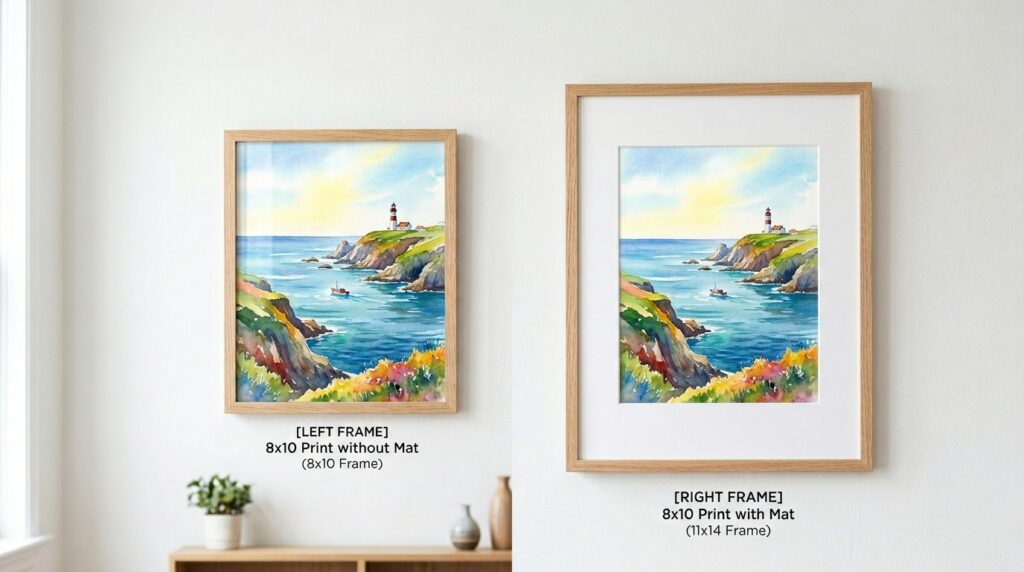
Framing makes or breaks a print. A well-chosen frame elevates a budget print. The wrong frame diminishes even a beautiful one.
The Mat Decision
A mat (the border between the print and the frame edge) adds a gallery feel to any print. It also solves the sizing mismatch problem – an 8×10 print in an 11×14 frame with a white mat looks more polished than the same print in a tight-fitting 8×10 frame.
Standard mat rule: Add 2 to 3 inches of mat border on all sides for a classic gallery look. For a more contemporary feel, add a slightly larger bottom mat (weighted mat) for visual balance.
Frame Style by Art Style
| Art Style | Frame Recommendation |
|---|---|
| Afrohemian Boho | Natural wood, rattan, warm bamboo |
| Neo Deco | Thin brass or gold, deep walnut |
| Scandi Minimalist | Thin black, thin natural oak |
| Celestial | Matte black, dark walnut |
| Maximalist Salon Wall | Mix natural wood and matte black with one brass accent |
For the complete frame selection guide including mat color pairings and renter-safe hanging methods, get the Perfect Frame Guide for $3.
For help sizing and spacing frames on your wall, visit the Gallery Wall and Wall Art Guide.
Step 7: Understand Your Licensing Rights
This is the step most buyers skip and occasionally regret. When you purchase a digital art download, you are buying a license to use the file, not ownership of the image. Understanding what your license covers protects you legally.
Standard personal use license (most digital art downloads including StyleMyHaven):
- Print for your own home – YES
- Print as a gift for one person – YES
- Sell the printed version – NO
- Share the digital file with others – NO
- Use in commercial projects (cafes, offices, rental properties for resale) – NO without a commercial license
Commercial use license:
If you want to use digital art in a business context (decorating a rental property you list on Airbnb, using prints in a retail shop, or incorporating into products you sell), you need a commercial license. StyleMyHaven’s licensing terms are explained in full at /licensing-usage.
2026 Digital Art Style Guide: What to Download Right Now
Based on Pinterest and Google Trends data, these are the digital art styles with the strongest momentum in 2026:
| Style | Trend Direction | Best Room | Shop Link |
|---|---|---|---|
| Afrohemian Boho Abstract | Rising 80%+ on Pinterest | Living room, bedroom | Boho collection |
| Neo Deco Geometric | Rising 80%+ on Pinterest | Living room, dining room | Browse Geometric Wall Art |
| Celestial Moon and Stars | Rising fast in 2026 | Bedroom, nursery | Celestial Moon and Stars – Rising fast in 2026 – coming soon to the StyleMyHaven shop |
| Scandi Botanical Line Art | Consistently high US searches | Any room | Scandi collection |
| Minimalist Abstract | Evergreen high volume | Any room | Minimalist collection |
📋 Browse and download instantly:
Visit the StyleMyHaven Shop Wall Art for instant-download wall art in boho, Scandi, minimalist, celestial, and Neo Deco styles. Every file is 300 DPI, print-ready, and covered by a personal use license.
🎁 Get the complete digital art printing system:
The Perfect Frame Guide for $3 covers frame sizing, mat color pairings, renter-safe hanging, and where to print for every budget.For paper selection, printer settings, and lab recommendations in one place, get the Wall Art Printing Paper Guide for $3 from the shop.
Frequently Asked Questions
What resolution does digital wall art need to be for printing?
For standard print sizes up to 16×20 inches, you need a minimum of 300 DPI (dots per inch). Below 300 DPI the print will look soft or pixelated, especially when viewed at close range. Quality digital art sellers always list the file resolution and maximum recommended print size. StyleMyHaven files are all 300 DPI minimum and include size recommendations in every product description.
Can I print digital wall art at Walgreens, CVS, or Staples?
Yes. For standard sizes up to 8×10, Walgreens and CVS offer same-day printing at low cost and acceptable quality for budget gallery walls. For larger sizes (11×14 and above) and higher quality output, Staples and FedEx offer better results. For the best quality on large format or fine art paper, use a specialist print lab like Mpix or Nations Photo Lab.
What is the best paper for printing wall art at home?
For most home printers and most art styles, matte photo paper at 80 to 90lb weight gives the best results. It produces accurate colors, has no glare from window light, and feeds reliably through standard inkjet printers. For photography and high-contrast prints where color richness matters, satin paper gives slightly more vibrant results. Avoid glossy paper for gallery walls as reflections from multiple frames clash visually.
Can I sell prints of digital art I purchased?
No. A standard personal use license (which covers most digital art purchases including StyleMyHaven downloads) allows you to print for your own home use and as personal gifts, but does not allow you to sell the printed versions. To sell prints commercially, you need a commercial license. StyleMyHaven’s full licensing terms are available at stylemyhaven.com/licensing-usage.
You might also like:
- Free Home Decor Tools and Resources – including the free Wall Art Size Visualizer
- Print Size Guide
- Licensing and Usage
- Gallery Wall and Wall Art Guide
- Shop All Wall Art
- Browse All Freebies