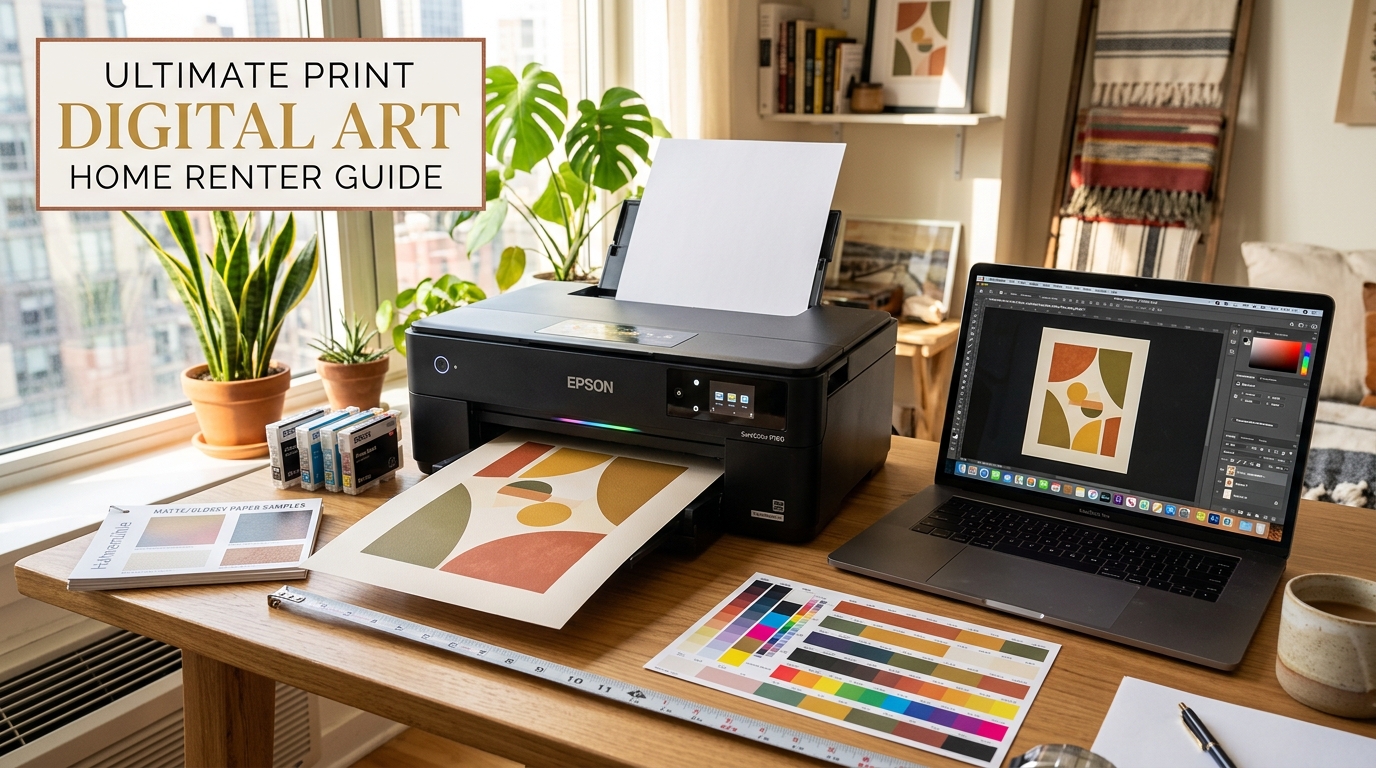
Print digital wall art at home with pro results for renters, using the best papers, printer settings, and sizes to avoid waste and blurry prints.
It opens up endless possibilities for renters who want to personalize their space without spending a fortune or risking their security deposit. Whether you’re building a boho gallery wall or adding a single statement piece, this comprehensive 2026 tutorial walks you through every step—from selecting the right files to achieving gallery-quality prints right from your desk. With StyleMyHaven’s $9.90 digital art singles, you’ll save $50-150 compared to lab printing while avoiding common pitfalls like blurry results or wasted ink.
The beauty of digital wall art for renters lies in its flexibility: download once, print as many times as you like for seasonal refreshes, and hang with damage-free methods like Command strips or leaning frames. Unfortunately, around 60% of first-time home printers end up frustrated with subpar results—pixelated images, dull colors, or expensive trial-and-error runs that cost $30 or more per attempt. This guide eliminates those frustrations with proven techniques tailored for apartment dwellers, ensuring crisp, vibrant prints every time. It’s designed as a companion to our Digital Wall Art Guide, where you’ll find even more on sourcing and styling.
Why Home-Printed Digital Wall Art is Perfect for Renters
Professional labs charge $15-40 per print plus shipping delays, which adds up quickly when you’re experimenting with layouts for a gallery wall. Printing at home costs just $2-5 per sheet, lets you iterate immediately, and pairs perfectly with renter-friendly hanging solutions. No more waiting for prints to arrive only to discover sizing issues or color mismatches.
Common home printing challenges—and their simple fixes—are covered in detail below:
- Blurry output? Wrong DPI or resizing.
- Washed-out colors? Paper type and settings mismatch.
- Wasted supplies? No test prints or calibration.
With basic gear (most renters already have an inkjet printer) and $20-30 in supplies, you’ll produce results rivaling $100 lab prints. Let’s dive into the 10-step process that’s helped thousands of renters create stunning walls without a single hole or hefty bill.
Your Essential Gear (Under $100 Total)
Before starting, gather these—most you likely own:
- Printer: Inkjet photo model (Epson Expression XP or Canon Pixma TS series ideal; avoid laser for art).
- Paper: Epson Premium Matte (80-110lb), Red River Polar Matte, or Canon Matte Photo. Start with 50-sheet pack ($15).
- Ink: Genuine cartridges for color accuracy ($25/set).
- Software: Free GIMP or Photoshop trial for checks.
- Tools: Bone folder for flattening, mat knife/ruler ($10), drying rack (DIY coat hangers).
Total startup if buying: $60. Prints cost $1-3 each after.
The 10-Step Process to Print Digital Wall Art Like a Pro
Follow this exact sequence for foolproof results. Each step includes time, cost, and renter-specific tips. Schema-ready for HowTo structured data.
- Verify and Prep Your Digital File (5-10 minutes, Free)
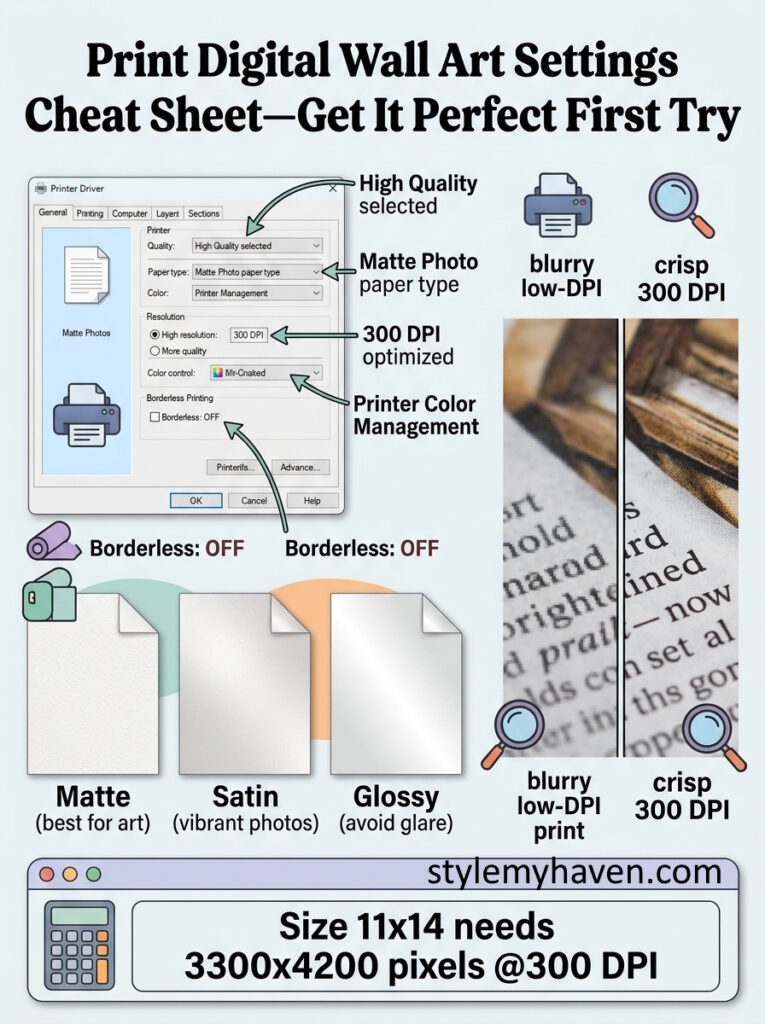
Open your StyleMyHaven $9.90 single in Photoshop, GIMP, or Preview. Check Image > Image Size: Minimum 300 DPI, pixels match intended print (8×10 inches = 2400×3000 pixels; 11×14 = 3300×4200; 16×20 = 4800×6000). Do NOT resample up (blurs)—if undersized, choose smaller print or rebuy higher-res. Crop distractions, sharpen lightly (Filter > Sharpen > Smart Sharpen 100-150%). Save as PNG for transparency or high-quality JPG. Renter tip: Start with 8×10 tests—fits cheap frames, proves file before committing ink. - Select the Perfect Print Sizes for Your Space (10 minutes)
Match wall: Test 5×7 or 8×10 ($1 each), mains 11×14 or 16×20. For gallery walls, mix: 2 large (16×20), 4 medium (11×14), 4 small (8×10). Use free apps like ArtPlacer AR to visualize on your wall before printing. Avoid over 20″ wide at home—labs better for giants. - Choose and Test Paper Types (Initial $15 investment)
Matte photo paper (80-110lb) reigns for digital art—no glare under apartment lights, true colors, reliable feed. Alternatives: Satin for subtle sheen (portraits), avoid glossy (fingerprints/reflections). Brands: Epson Premium Matte, Canon Matte II, Red River UltraPro Satin. Print 4×6 test swatches of your file’s key colors—dry 2 hours, compare vibrancy. Pro renter hack: Buy multi-packs for variety, test on least-favored art first. - Prep and Clean Your Printer (15 minutes)
Power cycle, run 2x nozzle/head cleaning cycles (takes 5 min each). Check ink levels >50%. Load paper tray selecting “Matte Photo” type—wrong setting streaks. Print nozzle pattern to confirm even flow. - Dial in Printer Settings for Perfection (5 minutes per type)
Open driver (Print button > Properties):- Quality: High/Best/Photo
- Paper Type: Matte Photo/Heavy
- Resolution: 300-5760 DPI optimized
- Color Management: Printer Managed (ICC off)
- Borderless: OFF (crops unevenly)
- Media Weight: Photo Paper
Preview—adjust brightness +5-10 if flat. Save preset “Digital Art Matte”.
- Run Your First Test Print (20 minutes, $1-2)
5×7 or 8×10 crop of focal area. Air dry rack 2-4 hours (wire hanger frame over tub). Inspect 2ft away/natural light: Sharp edges? Rich blacks? No banding/ink pools? If off, tweak exposure +10 or saturation -5, reprint. - Batch Full-Size Prints (1 hour, $10-20 for 4-8)
Load 20 sheets, print queue all at once. Use bone folder to flatten bubbles post-dry. Trim excess with mat knife + metal ruler for clean edges. Label backs with date/size for rotation. - Quality Control and Fixes (30 minutes)
Side-by-side with screen: Colors match? Test hang 1 week—fade? Recalibrate monitor (Windows/Mac tools free). Banding fix: Clean heads again. Dull? Switch satin paper. - Frame Renter-Friendly (30 minutes, $20-40)
IKEA Ribba ($10), Target threshold floaters ($15), or Amazon rattan ($20). Matte optional ($5). Hang Command strips (test 48hr on paint patch), lean heavies on shelves. Gallery layout: Paper template floor to wall transfer. - Scale and Maintain (Ongoing)
Singles perfect? Print sets for gifts. Store flats in binders. Refresh seasonal—$9.90 new StyleMyHaven art keeps walls fresh. Lab upscale 24×36+ via MPix ($25).
Detailed Cost Comparison (8 Gallery Prints)
| Size/Set | Home Cost (Ink/Paper) | Walgreens | Pro Lab (MPix) | Savings |
|---|---|---|---|---|
| 4x 8×10 | $8 | $36 | $52 | $44-28 |
| 2x 16×20 | $12 | $40 | $70 | $58 |
| Total 6 Prints | $20 | $76 | $122 | $102 |
Home crushes on volume/revisions.
Troubleshooting Top 5 Fails
- Blurry Prints: DPI <300 or bicubic resize—use originals only.
- Dull Colors: Gloss paper or “Vivid” mode—matte + standard.
- Streaks/Bands: Clogged heads—clean 3x, pause prints.
- Cropping: Borderless enabled—always margins.
- Paper Jams: Wrong tray setting—match exactly.
Calibration video recs in Checklist.
StyleMyHaven $9.90 Singles Spotlight
Boho abstracts, Scandi line art—300 DPI, 8 sizes included. Print test 8×10, frame IKEA, hang Command: $25 total statement piece.
Print digital wall art from these = instant renter wins.
FAQs
What’s the best paper to print digital wall art at home?
Matte photo paper 80-110lb weight—eliminates glare, feeds smoothly, perfect art reproduction.
What printer should I use to print digital wall art?
Inkjet photo printers like Epson Expression XP-9700 or Canon Pixma Pro-200; minimum 1200 DPI color accuracy.
What resolution do I need to print digital wall art 11×14 inches?
3300 pixels wide x 4200 pixels tall at 300 DPI for sharp viewing from 2-3 feet.
Can I use a laser printer to print digital wall art?
No—laser excels text/documents but produces fuzzy gradients and poor color on art/photography.
How much does it cost to print digital wall art from a $9.90 StyleMyHaven single?
$1-3 per 8×10 home print (ink/paper); frame $10-20. Total under $25 vs $40+ lab.
How do I avoid wasting money printing digital wall art?
Always 5×7 test first, verify 300 DPI upfront, match paper settings exactly.
You Might Also Like
Perfect pairing: Build your boho gallery wall with these prints.
Full sourcing in Digital Wall Art Guide.