Ordering the wrong quantity of paint, wallpaper or flooring is one of the most common and most avoidable renovation mistakes. Order too little and you face a second trip to the store hoping the batch matches. Order too much and you have spent money on materials sitting in a garage. Both outcomes are frustrating and both are entirely preventable.
The room material calculator solves this problem before you spend a dollar at the hardware store. This guide shows exactly how to use it, what measurements you need, and how to get accurate quantities for paint, wallpaper and flooring in any room – in under five minutes.
The Free Room Material Calculator is available now – no signup, no download, use it directly on the StyleMyHaven website.
Why Material Quantities Are Harder to Estimate Than They Look
Most people estimate material quantities by eyeballing a room and picking a round number. This works occasionally and fails often – for three specific reasons:
1. Wall area is not the same as floor area
The most common mistake is confusing room size (floor area) with wall area (what you actually paint or wallpaper). A 10×12 foot room has 120 square feet of floor but approximately 352 square feet of wall area at 8-foot ceiling height – nearly three times as much. Paint coverage is calculated against wall area, not floor area.
2. Doors and windows are deductions, not afterthoughts
Every door and window in a room reduces the paintable or wallpaperable wall area. A standard door opening removes approximately 20 square feet. Two windows remove another 15 to 30 square feet. On a small room, ignoring these deductions means ordering 10 to 20% more paint than needed.
3. Flooring has waste factors built in
Flooring installation always requires cutting – and cut pieces generate waste. The standard waste factor for flooring is 10% for straight lay and 15% for diagonal or herringbone patterns. Ordering without the waste factor means running short mid-installation.
The room material calculator handles all three of these automatically. You enter the dimensions – it calculates the correct quantities with deductions and waste factors included.
What You Need Before You Start: Room Measurements
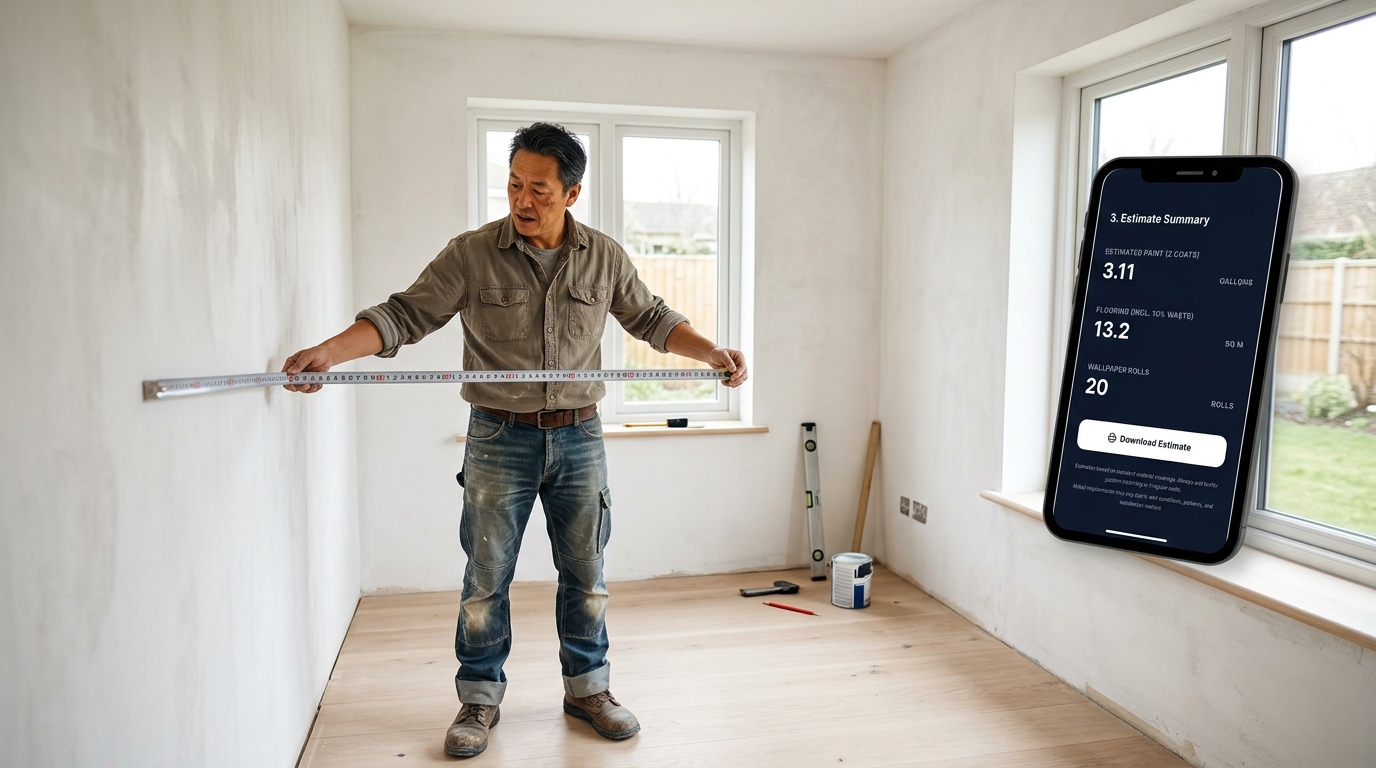
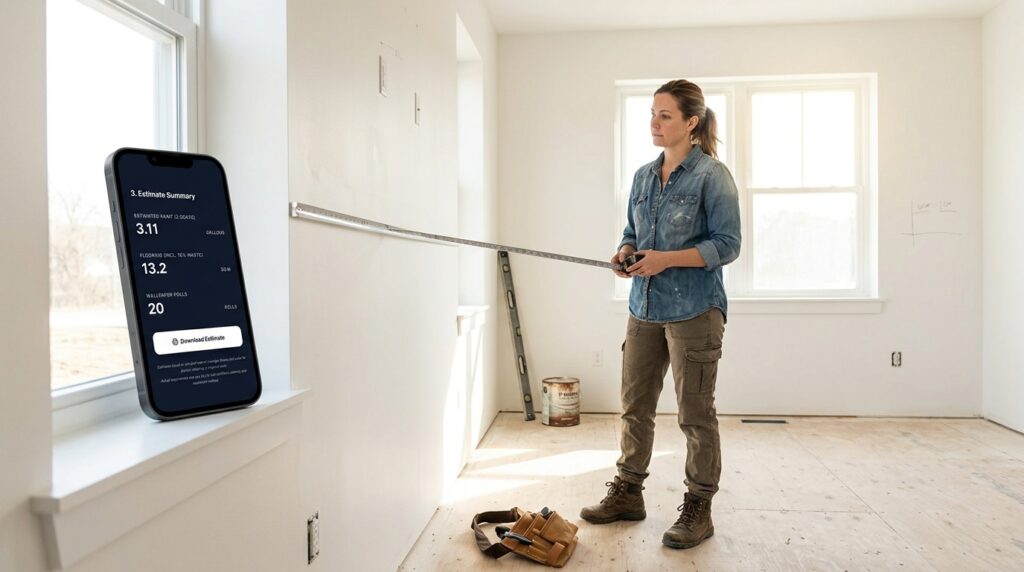
Before opening the calculator, take these measurements. A tape measure and five minutes is all you need. For a complete guide to accurate room measuring technique, see how to measure a room accurately.
For paint and wallpaper:
- Room length (longest wall, floor to wall junction)
- Room width (shortest wall, floor to wall junction)
- Ceiling height (floor to ceiling, measure in at least two spots as rental ceilings are not always level)
- Number of standard doors (each approximately 20 sq ft)
- Number of windows (measure each width x height for accuracy)
For flooring:
- Room length
- Room width
- Note the lay direction you want (straight or diagonal) as this affects the waste factor
One tip before measuring: Read your lease or confirm with your landlord before ordering any materials for a rental renovation. Paint and flooring changes in a rental require explicit permission in most standard leases.
How to Use the Room Material Calculator: Step by Step
Step 1 – Open the calculator
Go to stylemyhaven.com/room-material-calculator – no account or signup required. The calculator opens directly in your browser on desktop or mobile.
Step 2 – Enter room dimensions
Input your room length, width and ceiling height in the fields provided. Use feet and inches for US measurements. The calculator converts and calculates automatically.
Step 3 – Enter door and window counts
Input the number of standard doors and windows. For non-standard sizes, use the custom dimension fields if available for greater accuracy.
Step 4 – Select the material
Choose paint, wallpaper or flooring from the material selector. Each material uses a different calculation method – paint is calculated in gallons by coverage rate, wallpaper in rolls by panel width and pattern repeat, flooring in square feet with waste factor applied.
Step 5 – Read your results
The calculator outputs the quantity you need to order with a small recommended buffer already included. This is your shopping list number – the quantity to put in your cart at the hardware store or order online.
Step 6 – Save or screenshot your results
Screenshot the results page before closing. You will want this number at the store and again when checking your order confirmation.
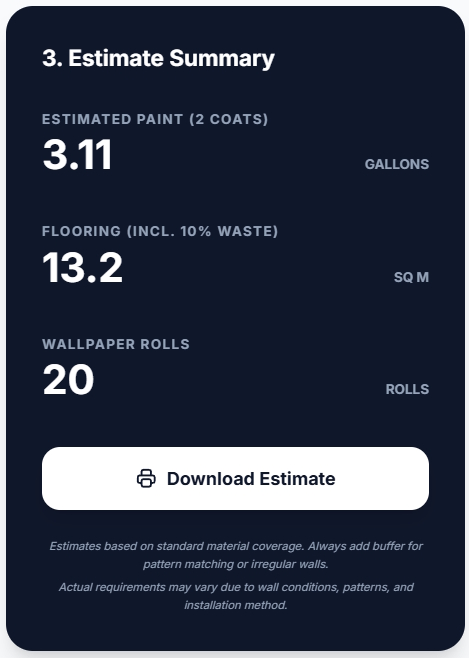
Room Material Calculator Results: What the Numbers Mean
Paint Results
The calculator outputs gallons needed for one coat and two coats separately. Always order for two coats – one coat coverage is almost never sufficient for a quality finish, especially over dark existing colours or new drywall. The two-coat figure is your order quantity.
Coverage rates used: Standard interior latex paint covers approximately 350 to 400 square feet per gallon. Premium paint with higher pigment density covers slightly less – around 300 to 350 square feet per gallon. The calculator uses the conservative 350 sq ft figure to ensure you do not run short.
Wallpaper Results
The calculator outputs the number of rolls needed including a pattern repeat waste allowance. Wallpaper rolls vary in width (most standard rolls are 20.5 inches wide) and length (most standard rolls are 33 feet). The calculator uses standard roll dimensions – confirm your specific wallpaper roll dimensions before ordering if they differ.
Important: Always order one extra roll beyond the calculator result for wallpaper. Pattern matching on cuts generates more waste than the standard allowance accounts for, and wallpaper dye lots vary between production runs – a roll ordered later may not match exactly.
Flooring Results
The calculator outputs square footage needed including the waste factor for your chosen lay pattern. This figure is your order quantity in square feet – divide by the coverage per box stated on your flooring product to get the number of boxes to order.
Using the Calculator for Renovation Budget Planning
The room material calculator is most powerful when used before you start getting contractor quotes – not after. Knowing your exact material quantities before meeting a contractor means:
- You can price materials independently before the contractor builds them into a quote
- You can identify inflated material allowances in a quote by comparing against your own calculations
- You can separate material cost from labour cost clearly in your budget planning
For the complete renovation budgeting framework, see the Home Renovation Planning Guide 2026. For a room-by-room kitchen cost breakdown, see the Kitchen Remodel Cost Breakdown.
Common Questions About Material Quantities
How much paint do I need for a standard bedroom?
A standard 10×12 foot bedroom with 8-foot ceilings, one door and one window has approximately 290 square feet of paintable wall area. At 350 sq ft per gallon coverage, that is approximately 1 gallon for one coat or 2 gallons for two coats. Always buy two coats worth – use the Free Room Material Calculator for your exact room dimensions.
How many rolls of wallpaper do I need for an accent wall?
A standard accent wall behind a sofa or bed is approximately 10 feet wide by 8 feet high (80 sq ft). At 20.5-inch roll width and 33-foot roll length, you need approximately 3 to 4 rolls depending on pattern repeat. Add one extra roll for pattern matching waste. Use the calculator for your exact wall dimensions.
Ready to start your renovation? Download the free Renovation Styling Checklist – a pre-start planning framework covering scope, sequence and material ordering. Free with email signup.
For the 20 hidden renovation traps that cause most budget overruns – including the material ordering mistakes that derail projects after they start – the Renovation Survival Checklist covers every scenario in detail – $7.
Frequently Asked Questions
Is the StyleMyHaven room material calculator really free?
Yes – completely free, no account required and no email signup needed. Open it directly at stylemyhaven.com/room-material-calculator on any device. It calculates paint, wallpaper and flooring quantities instantly from your room dimensions.
How accurate is the room material calculator?
The calculator uses standard industry coverage rates and waste factors – the same figures professional painters, wallpaper hangers and flooring installers use for their own quotes. Results are accurate within 5 to 10% for standard rooms. For rooms with many windows, alcoves, or non-standard ceiling heights, take extra care with your input measurements as accuracy depends entirely on the dimensions you enter.
Can I use the room material calculator for a rental apartment?
Yes – the calculator works for any room regardless of ownership. For renters using it to calculate removable wallpaper quantities, the same calculation applies – enter your accent wall dimensions and the result gives you the number of rolls needed. Note that peel-and-stick removable wallpaper rolls are often narrower (18 to 24 inches) than standard wallpaper – confirm your roll width before ordering.
What measurements do I need for the room material calculator?
Room length, room width, ceiling height, number of standard doors, and number of windows. For flooring, also note your intended lay direction (straight or diagonal). All measurements in feet and inches. A tape measure and five minutes is all you need before opening the calculator.